I am going to cover primary navigation and features currently available on the site.
It'll have a lot of pictures, because who doesn't love pictures!
There are two main sections:
- General Features: These are things that are not specific to the subscription type
- MVP Subscription Features: These are things that are specific to MVP subscriptions
I'll keep adding to this article as new features are released!
General Features
Navigating Teams
By default, every account has access to the following scoring types:
- Fan Duel
- Draft Kings
- Standard
- PPR
If you have a free account, those are limited to the top 10 players at each position.
By default, the left navigation will default to Standard Scoring.
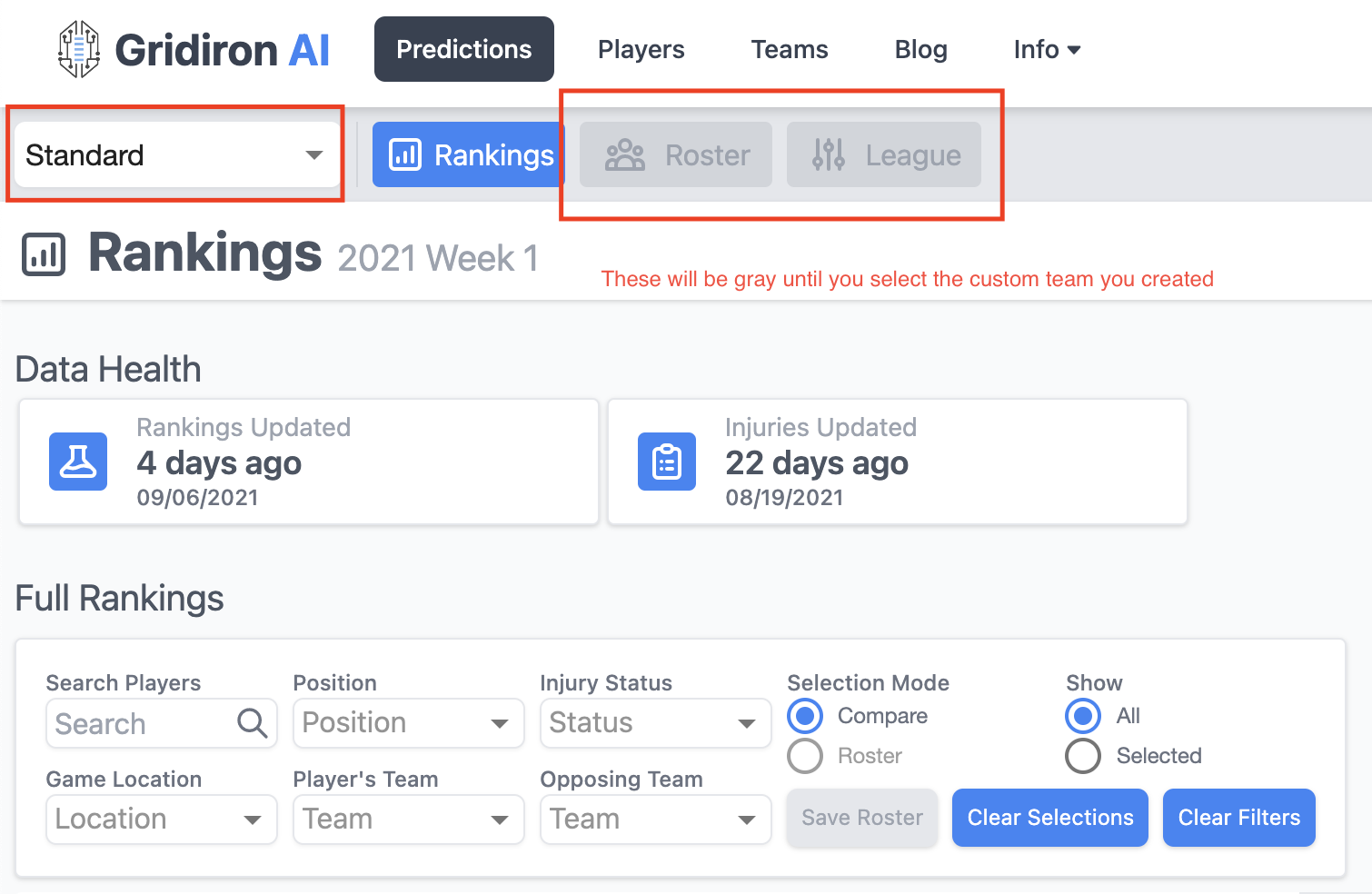
Rankings
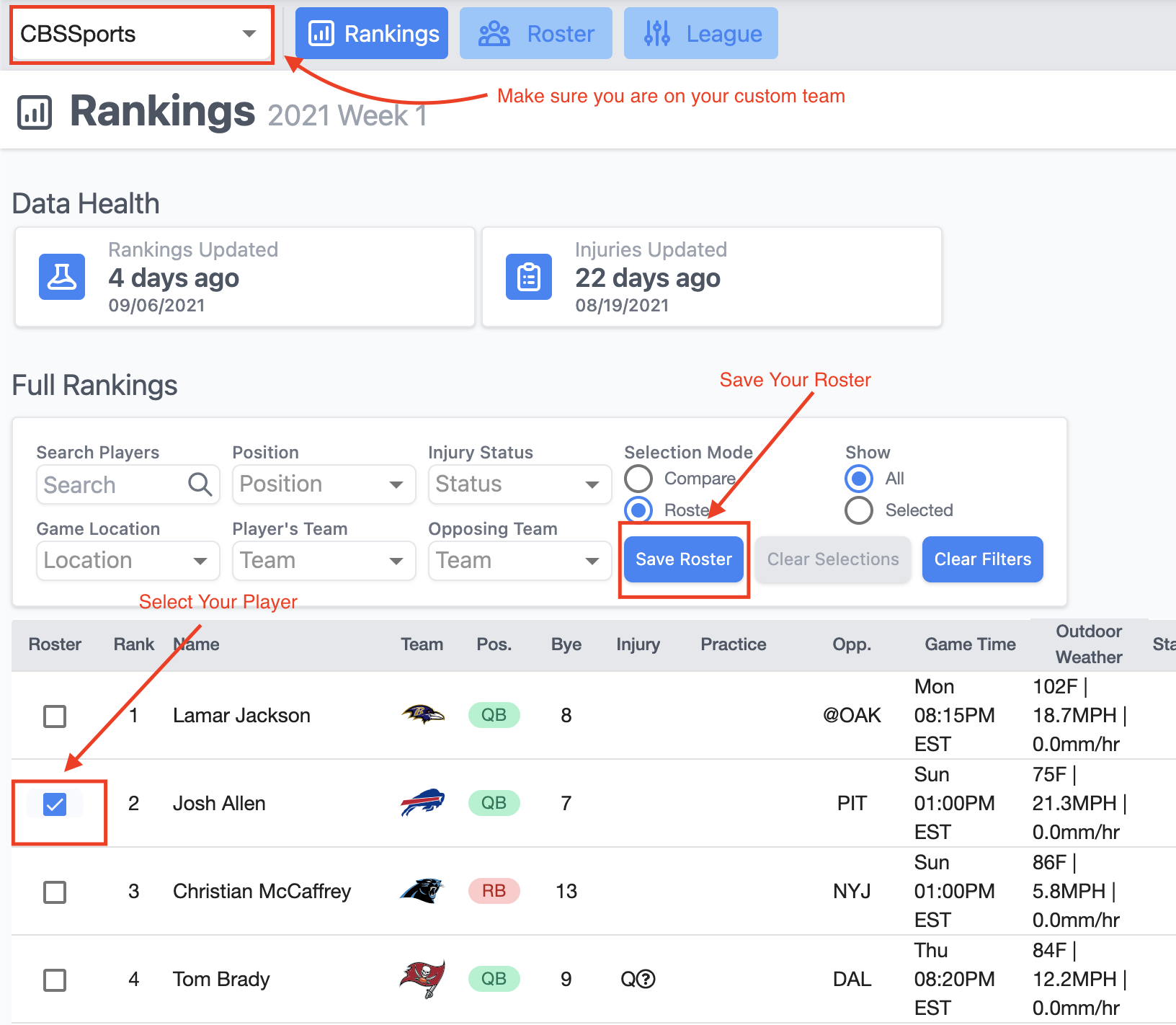
The rankings page provides the current projections for the players, additional data about the player's performance, and filtering to help find players.
I added detail to the graphics below:
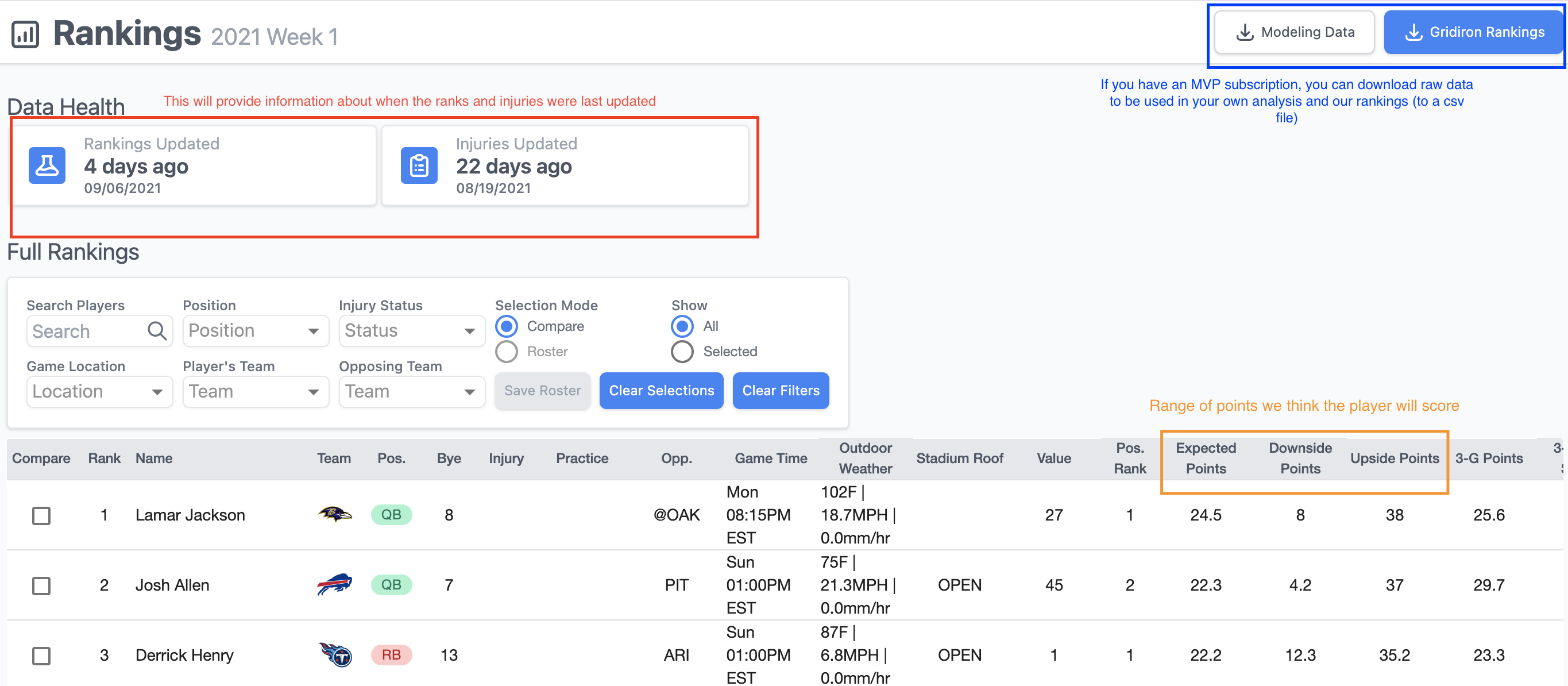
We love stats. Scroll right to see all of them!

MVP Subscription Features
An MVP subscription allows you to:
- See our full projections
- Customize the scoring for your team
- Save a roster
- View the optimal lineup based on your roster
- Download raw data to do your Analysis
Customized Scoring
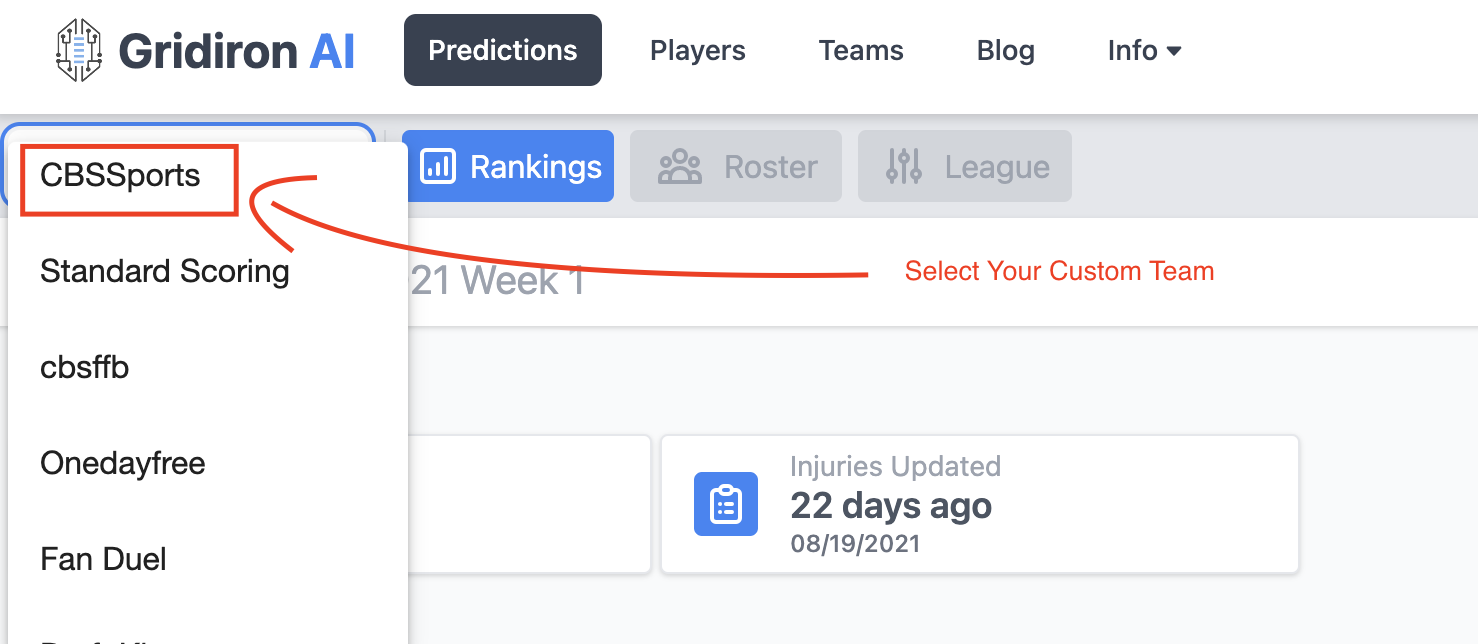
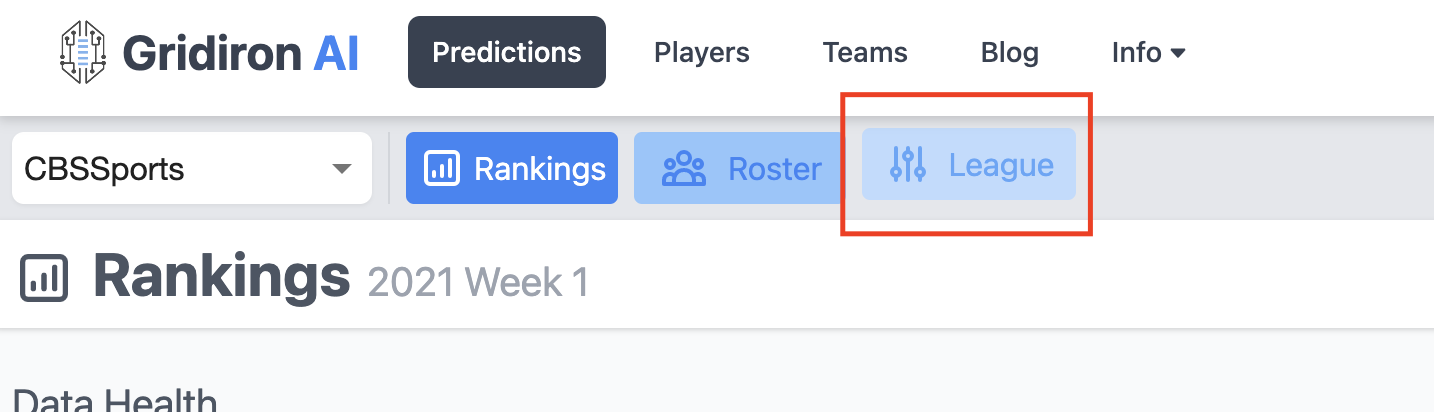
To customize the scoring for your league:
- Select the name you created when you added a subscription
- Click on the League Button
- Fill out your league details
- Note
- Section 1 - 2 (About Your League, Roster Requirements) can be skipped. These will not have an impact on your experience within our site. These are going to be used in the future.
Creating a Roster
To add a roster:
- Navigate to the Rankings page
- Click the box next to the player's name NOTE - If a player is on a bye week, he might not show the app for the current week
- Save the roster
- Click on the roster link (more in this below)
Roster Page and Optimal Lineup
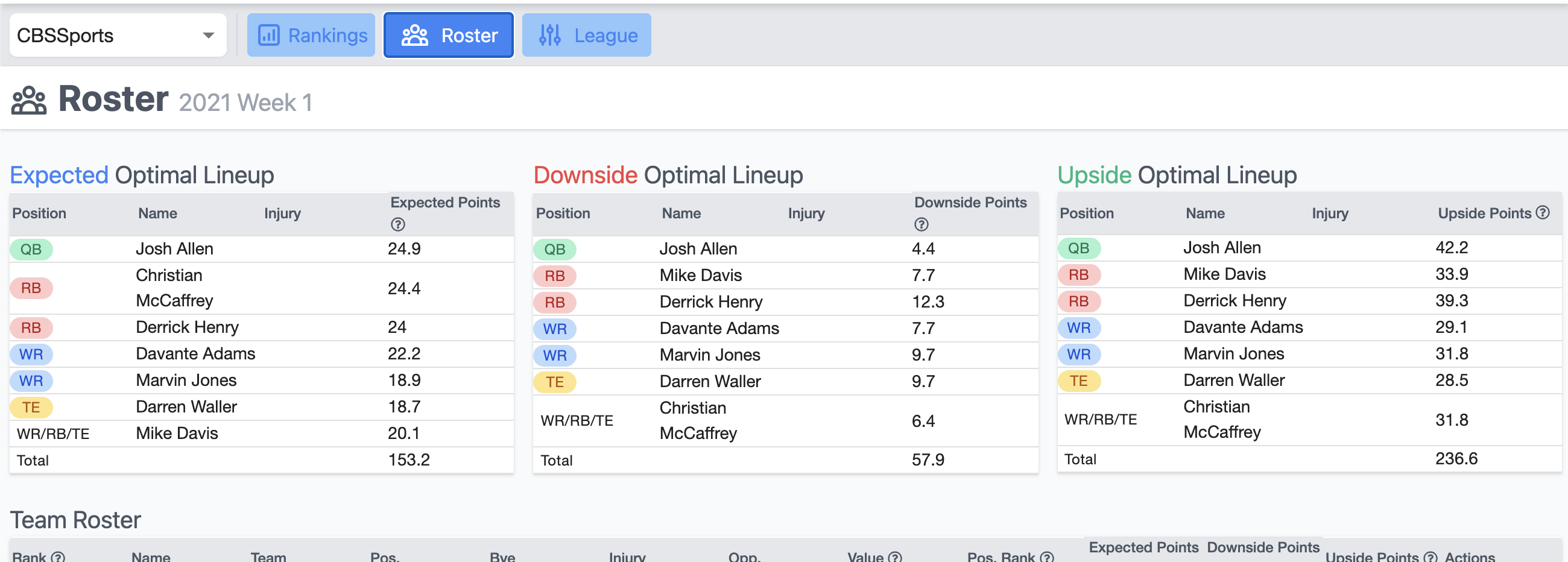
The roster page is a way for you to easily see the projections for your players, the optimal lineup for your roster, and potential upside and downside projections for your players.
Optimal Lineup - This list will display the best lineup for your roster.
Team Roster - This will display the players currently saved to your roster.
Upside/Downside/Optimal Lineup - This will display the best/worst case lineup for your roster. A lot of time, they will all be the same. It depends on the depth of your league and how you rostered!
Downloading Data
The data download provides a large dataset of player features. You access this part of the site after selecting your team. A data dictionary can be found here.
See the image below:

- Modeling Data is a link to a zip file that contains the following files:
- fanduels_defense_data - Defense specific data that can be used to help model for DFS
- player_data - 2010-2020 data at the player level. Check the data dictionary link above for more information
- player_data_YYYY - The player data is broken down into smaller files so they can be opened in GoogleSheets or Excel easier
- projections_raw - Raw projections for the current week from our projections. These include the mean, min, and max for all the counting stats used to generate our fantasy projections
- readme - Provides details on the different datasets
Other Questions?
If anyone has any questions or wants to talk to us, you can find us on our Slack Channel. Click here to join: PLEASE CLICK ME, WE LOVE TO TALK.